AVENDA

Listaš oglase, klikneš ikonu, dobiješ procjenu vrijednosti oglašenog automobila.

Browse listings, click the icon, get a value estimate for the listed car.

Proširenje za Chrome koje radi s oglasima objavljenim na oglasnicima Njuškalo, Plavi Oglasnik i Index Oglasi. Ništa ne prepisuješ. Ništa ne kopiraš. Proširenje samostalno čita sadržaj oglasa koji gledaš i radi AI procjenu u pozadini koju otvaraš na jedan klik.

A Chrome extension that works on Njuškalo, Plavi Oglasnik and Index Oglasi. Nothing to retype. Nothing to copy. The extension reads the listing you are viewing and runs an AI estimate in the background, ready on a single click.

Dodaj u ChromeAdd to Chrome Chrome Web Store · v1.0.0

Tri stanja, kao semafor

Three states, like a traffic light

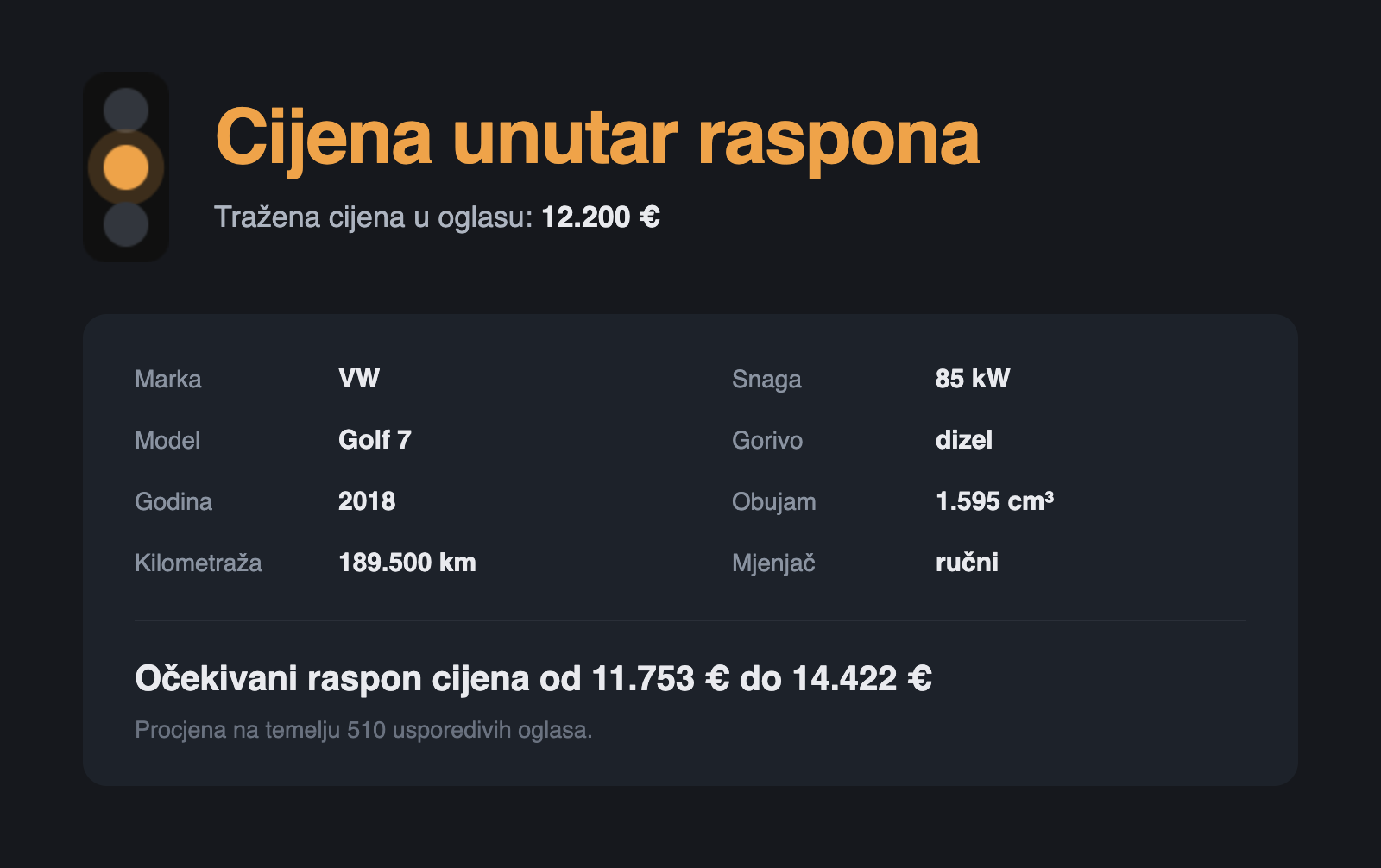
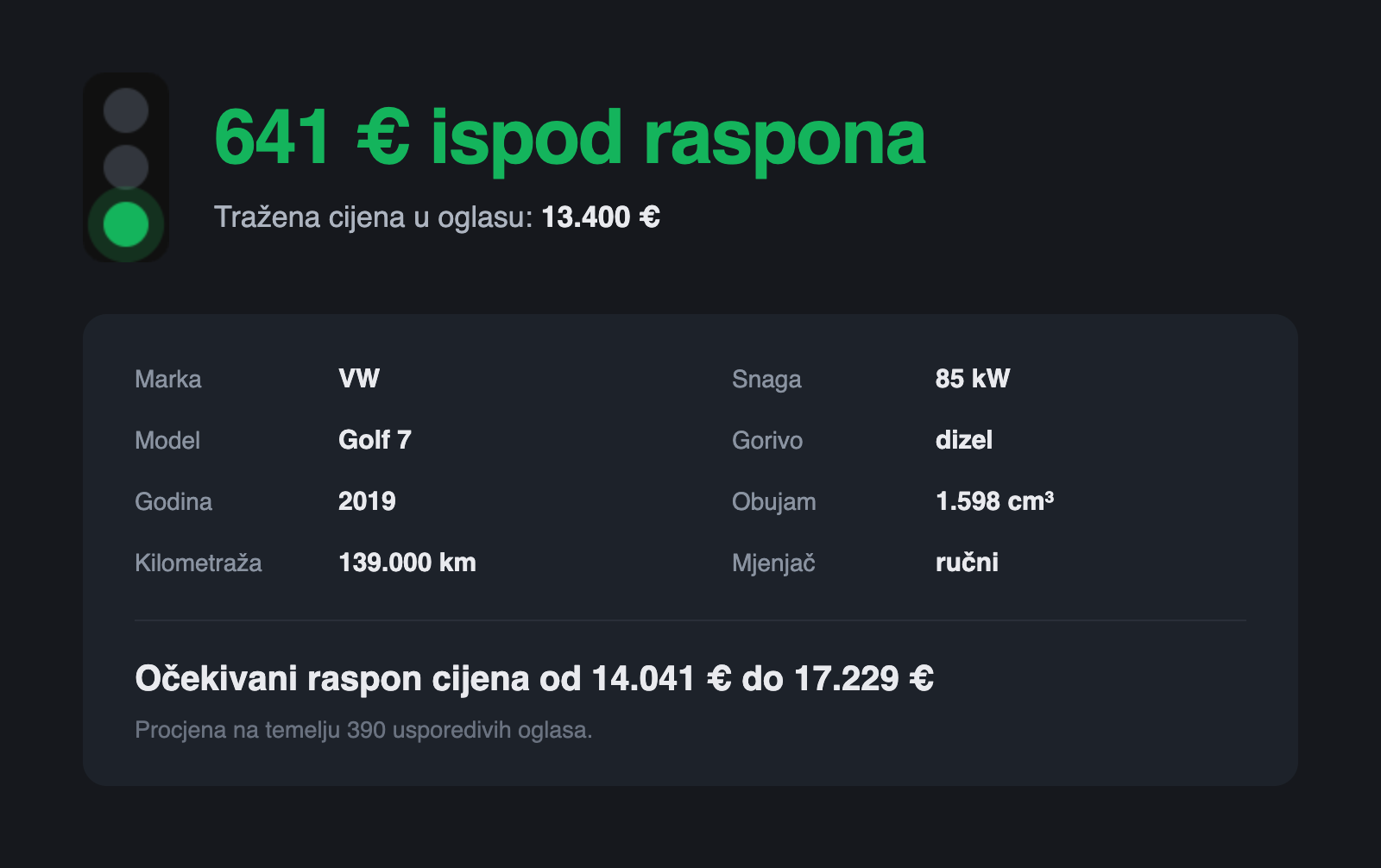
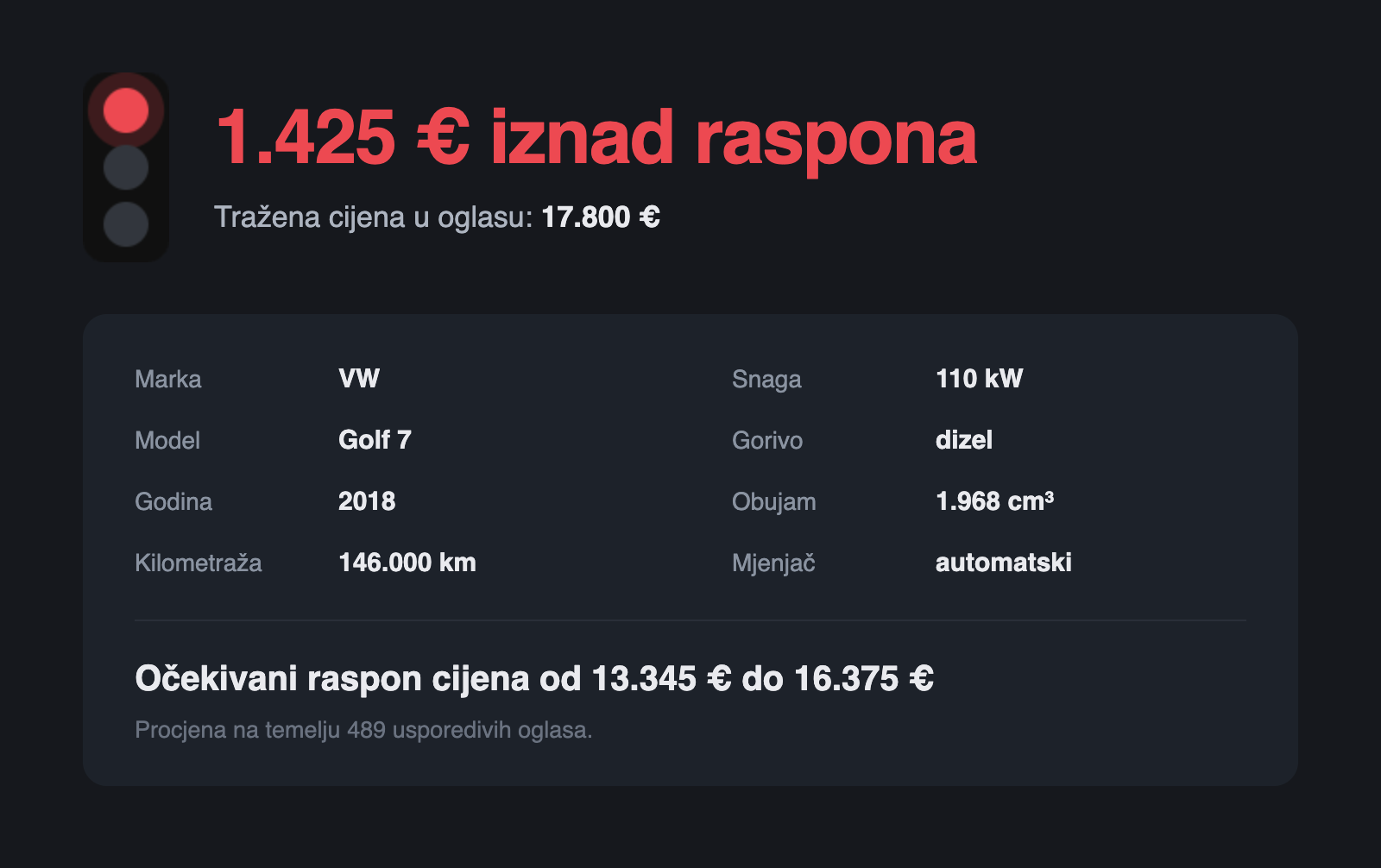
Dok pročitaš osnovne informacije iz oglasa, proširenje već priprema AI procjenu. Klik na ikonu pokazuje podatke o vozilu pročitane sa stranice i gotovu procjenu.

By the time you have read the basics of the listing, the extension is already preparing the AI estimate. Clicking the icon shows the vehicle data read from the page and the finished estimate.

Crveno stanje: tražena cijena 1.425 € iznad očekivanog raspona Narančasto stanje: cijena unutar očekivanog raspona Zeleno stanje: tražena cijena 641 € ispod očekivanog raspona

Kako instalirati

How to install

Dva klika u Chrome Web Storeu, bez računa i bez registracije.

Two clicks in the Chrome Web Store, no account and no registration.

  1. Klikni Dodaj u Chrome. Otvara se AVENDA u Chrome Web Storeu.
  2. Tamo klikni Dodaj u Chrome pa potvrdi u dijalogu koji Chrome otvori.
  3. Klikni ikonu slagalice u alatnoj traci i prikvači AVENDA, da ti je uvijek vidljiva.
  1. Click Add to Chrome. AVENDA opens in the Chrome Web Store.
  2. Click Add to Chrome there, then confirm in the dialog Chrome opens.
  3. Click the puzzle icon in the toolbar and pin AVENDA so it is always visible.

Otvori bilo koji oglas za osobne automobile objavljen na oglasnicima Njuškalo, Plavi Oglasnik ili Index Oglasi. Čim učitaš oglas, ikona će promijeniti boju u skladu s procjenom. Detaljnu procjenu možeš otvoriti klikom na ikonu.

Open any passenger car listing on Njuškalo, Plavi Oglasnik or Index Oglasi. As soon as the listing loads, the icon changes colour to match the estimate. Click the icon to open the full estimate.

Dodaj u ChromeAdd to Chrome Chrome Web Store · v1.0.0

Radi i u ostalim preglednicima na Chromiumu (Edge i Brave) s istog listinga u Web Storeu.

It also works in other Chromium browsers (Edge and Brave) from the same Web Store listing.
Kako nastaje procjena

Iza raspona stoji AI model treniran na desecima tisuća oglasa s hrvatskog tržišta. Uspoređuje marku, model, godište i kilometražu s usporedivim oglasima, a usporedivim se smatra isti model s godištem unutar tri godine i sličnom kilometražom.

How the estimate is made

Behind the range is an AI model trained on tens of thousands of listings from the Croatian market. It compares the make, model, year and mileage with comparable listings, and a listing counts as comparable when it offers the same model, at most three years apart in age, with similar mileage.

Privatnost

Bez računa i bez registracije. Proširenje obrađuje samo podatke o vozilu iz oglasa koji gledaš, poput marke, modela, godišta i kilometraže, a pri instalaciji možeš provjeriti da traži pristup samo stranicama oglasnika i vlastitom servisu za procjenu.

Privacy

No account and no registration. The extension processes only the vehicle data from the listing you are viewing, such as make, model, year and mileage, and at install time you can verify that it asks for access only to the classified-ad sites and its own valuation service.